

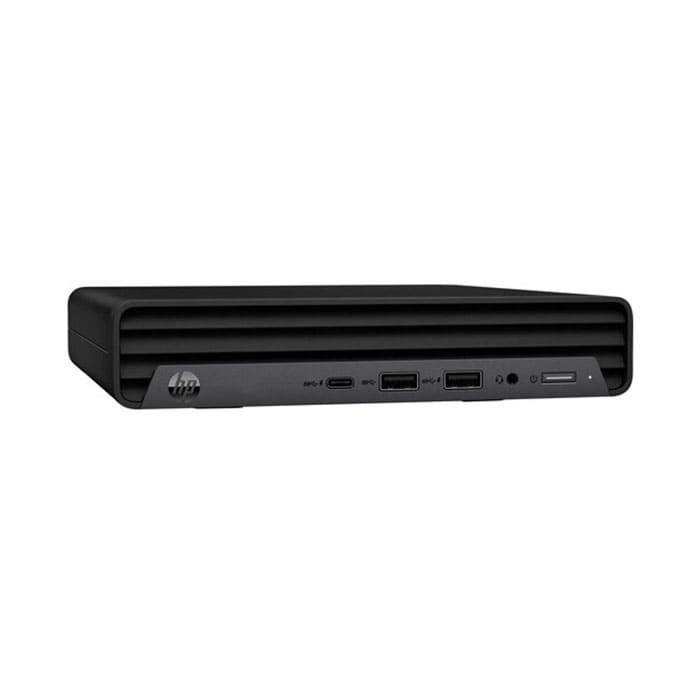
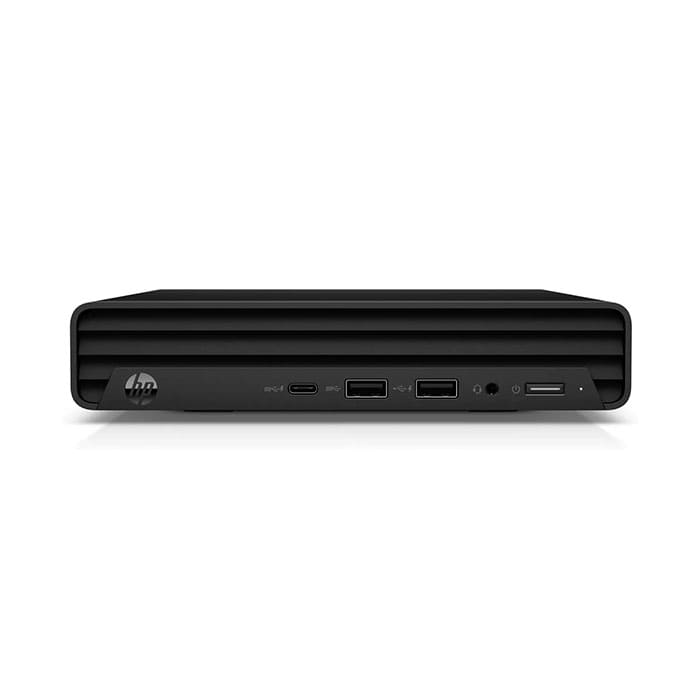

(70Z71PA#AKL) PC “HP” Pro Mini 260 G9 DM i5-1235U/8GB/512GB SSD/Win11Pro
25,500 ฿
สินค้าโมเดลนี้ตกรุ่น (End-of-Life) แล้ว
กรุณาติดต่อเพื่อสอบถามรุ่นทดแทน
ราคาสินค้ายังไม่รวมภาษีมูลค่าเพิ่ม 7%
รับประกัน 3 ปี Onsite

กรุณาติดต่อเพื่อเช็ค Stock
ติดต่อเราเพื่อสั่งซื้อ สอบถาม หรือขอใบเสนอราคาโทร : 02-713-2261 หรือ 063-819-7299


| SKU | 70Z71PA#AKL |
| Name | (70Z71PA#AKL) PC “HP” Pro Mini 260 G9 i5-1235U/8GB/512GB SSD/Win11Pro |
| Processor | Intel Core i5-1235U Processor 1.3 GHz base frequency, up to 4.4 GHz maximum Turbo frequency with Intel Turbo Boost Technology 12 MB cache, 10 cores, and 12 threads |
| Memory (RAM) | 8 GB (2 x 4 GB) DDR4-3200 SODIMM |
| Storage | 512 GB M.2 2280 PCIe NVMe SSD |
| Graphics (GPU) | Integrated Graphics |
| Optical Disk Drive | None |
| Network | Realtek RTL8821CE Wi-Fi 5 802.11ac (1×1) with Bluetooth M.2 Combo Card |
| Ports | 1x USB 3.2 Gen 2 Type-C 10 Gbps 3x USB 3.2 Gen 1 Type-A 5 Gbps 3x USB 2.0 Type-A 480 Mbps 1x Combo Audio jack with CTIA and OMTP headset support 1x DisplayPort 1.4a 1x HDMI 1.4b 1x RJ-45 |
| Power Supply | 65 W external AC power adapter |
| Keyboard & Mouse | USB Mouse & USB Keyboard |
| Color | Black |
| Operating System (OS) | Windows 11 Home 64-bit |
| Weight | 1.25 kg |
| Warranty | 3 Years Onsite by HP |
* กรุณาตรวจสอบสเปคกับผู้ขายอีกครั้ง (เช่น สี, Optical Drive หรือ Wi-Fi เป็นต้น) ซื้อคอมพิวเตอร์ตั้งโต๊ะกับเรา รับสิทธิ์ส่วนลดสินค้าด้านล่างนี้ในราคาพิเศษได้ทันที เมื่อสั่งซื้อพร้อมกันกับตัวเครื่อง ติดต่อเราเพื่อสั่งซื้อที่นี่ (BV800I-MST) UPS “APC” Easy UPS 800VA/480W (EP2-06630) Microsoft Office Home and Business 2024 (FQC-10528) Microsoft Windows 11 Pro 64 Bit OEMรับสิทธิ์สั่งซื้อสินค้าเสริมในราคาพิเศษ
หมายเหตุ : สนใจซื้อสินค้าเสริม กรุณาติดต่อพนักงานขาย
2,100.- (ปกติ 2,300.-)
เครื่องสำรองไฟรุ่นเล็กสำหรับ PC 1 ชุด ป้องกันไฟดับและไฟตก
6,800.- (ปกติ 7,000.-)
ชุดโปรแกรม ไมโครซอฟท์ออฟฟิศ สำหรับองค์กร ลิขสิทธิ์ตลอดชีพ
5,000.- (ปกติ 5,200.-)
Windows 11 Pro ลิขสิทธิ์ตลอดชีพของแท้ สำหรับรุ่นที่ไม่มี OS
ขาย HP Pro Mini 260 G9 Desktop-PC (70Z71PA#AKL) ราคาถูก
A value-added, commercial-grade PC (70Z71PA#AKL) performer
Removal and replacement procedures
Adherence to these procedures and precautions is essential for proper service. After completing all necessary removal and replacement procedures, run the Diagnostics utility to verify that all components operate properly.
Access panel
To remove the access panel of the 70Z71PA#AKL, use these procedures. Before removing the access panel, follow these steps:
- Prepare the computer for disassemble
Front bezel
To remove the front bezel of the 70Z71PA#AKL, use these procedures. Before removing the front bezel, follow these steps:
- Prepare the computer for disassembly (see Preparation for disassembly on page 16).
- Remove the access panel (see Access panel on page 16).
Remove the front bezel:
- Position the access panel upside-down so that you can access the inside of the bezel.
- Remove the two Phillips screws (1) that secure the bezel to the access panel.
- Simultaneously press the two top tabs (not the four bottom tabs) to disengage the bezel (2).
- Rotate the top of the bezel downward (3), and then remove it from the access panel (4) of the 70Z71PA#AKL.
Click here to learn more about HP Support
สนใจสินค้าอื่นๆนอกจาก 70Z71PA#AKL
ดูรายการคอมพิวเตอร์ได้ที่ หน้าสินค้า Personal Computer ของเรา
Related products
