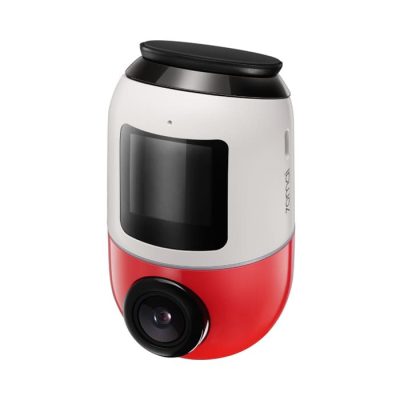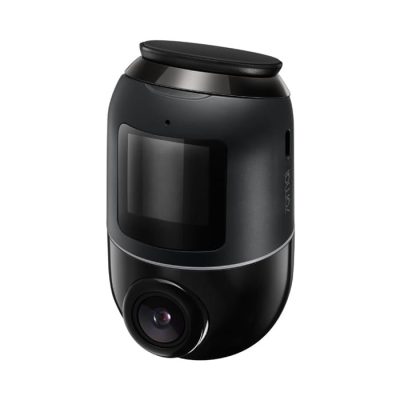


(70M-A400-RED-T) Dashcam “70mai” A400 Red
2,375 ฿
ราคาสินค้ายังไม่รวมภาษีมูลค่าเพิ่ม 7%
รับประกัน 1 ปี

กรุณาติดต่อเพื่อเช็ค Stock
ติดต่อเราเพื่อสั่งซื้อ สอบถาม หรือขอใบเสนอราคาโทร : 02-713-2261 หรือ 063-819-7299


ขายเว็บแคม Dashcam “70mai” รุ่น A400 สี Red (70M-A400-RED-T)
จำหน่ายกล้องติดรถยนต์ Dash Camera แบรนด์ 70mai รุ่น A400 70M-A400-RED-T ราคาถูกที่สุด โดยตัวแทนจำหน่าย บริการจัดส่งฟรี
- ความละเอียด 1440P Quad HD
- กล้อง 3.6 ล้านพิกเซล บันทึกในรูปแบบ ความละเอียด QHD 2560 x 1440
- FOV มุมกว้าง 145 * ครอบคลุมการจราจรอย่างน้อยสามเลนจับภาพเหตุการณ์เพิ่มเติมในแต่ละเฟรม
- รูรับแสงขนาดใหญ่ F2.0 ทำให้ A400 ดึงแสงเข้ามาได้มากขึ้น เพื่อเพิ่มความสว่างให้กับฉากที่มืด
- เทคโนโลยี WDR ปรับสมดุลคุณภาพของภาพได้อย่างมีประสิทธิภาพ
- มีฟังค์ชั่น Parking Mode , G Sensor , Loop Recording
- เชื่อมต่อผ่าน App 70Mai ตัวกล้องรองรับภาษาไทยและภาษาอังกฤษ
- รองรับ micro SD Class 10 / U1 ขึ้นไป (32 GB , 64GB , 128GB) , Read / Write speed 120 MB/s ขึ้นไป
- ขนาดแพคแกจ 16 x 17 x 5 ซม. น้ำหนัก 563 กรัม
อุปกรณ์ในกล่อง
- ชุดกล้อง 70M-A400-RED-T
- Adapter ที่จุดบุหรี่
- สาย USB
- ก้านจัดสายไฟ
- สติกเกอร์ไฟฟ้าสถิตย์
- แผ่นกาวกันความร้อน
- คู่มือ
Installing the electrostatic sticker
Clean your windshield and put the electrostatic sticker on the recommended area as shown in the figure. Make sure you remove air bubbles between the sticker and the glass.
Note: Make sure to stick the electrostatic sticker on a flat and smooth part of the windshield, press it firmly, and avoid sticking it on the edge of the windshield’s film to prevent it from falling down.
Installing the memory card
Insert the memory card into the card slot with its contacts facing down until you hear a click. The memory card is well-installed.
Pasting the dash cam
Peel off the protective film from the heat resistant adhesive, and paste the dash cam onto the electrostatic sticker in the dotted area.
Connecting the power supply
As shown in the figure, run the power cord along the top of the windshield, down the A-pillar, and around the glove compartment, so that the power connector is near the cigarette lighter. Connect the power cord to the car charger, then plug the charger into the cigarette lighter socket.
Adjusting the dash cam angle
Turn on the 70M-A400-RED-T and adjust the camera angle based on the preview screen to ensure that the camera is facing the front of the vehicle.
Click here to learn more about 70mai Support
สนใจสินค้าอื่นๆ นอกจาก 70M-A400-RED-T
ดูสินค้าอื่นๆของเราที่หน้าสินค้า Accessories
Related products