
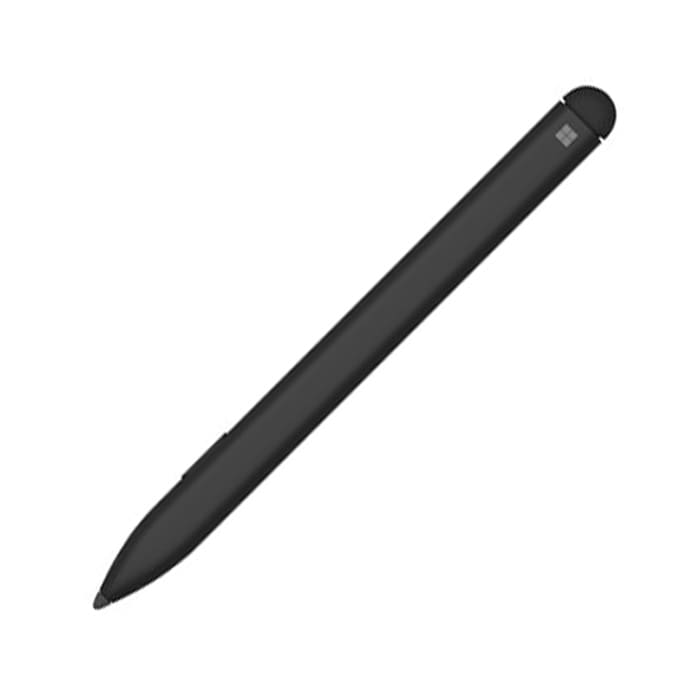

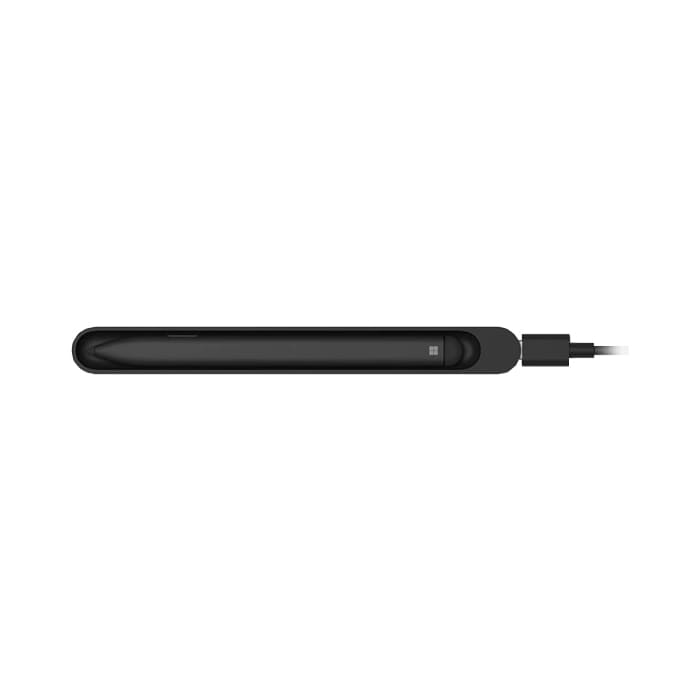

(LLM-00005) “Microsoft” Surface Slim Pen Black for Surface Pro X
4,800 ฿
ราคาสินค้ายังไม่รวมภาษีมูลค่าเพิ่ม 7%
รับประกัน 1 ปี

กรุณาติดต่อเพื่อเช็ค Stock
ติดต่อเราเพื่อสั่งซื้อ สอบถาม หรือขอใบเสนอราคาโทร : 02-713-2261 หรือ 063-819-7299


| SKU | LLM-00005 |
| Model | Surface Slim Pen Commercial Black |
| Brand | Microsoft |
| Compatibility | Surface Pro X |
| Weight (Kg) | 0.045 |
| Censor | Bluetooth |
| Color | Black |
| Dimensions | Length : 13.29 cm, Diameter : 0.65 cm |
| Battery life | 13 hours |
| Warranty | 1 Year |
| Note | ปากกาพร้อมตัวชาร์จ ไม่ต้องใช้ถ่าน |
Get to know the new Pen
Microsoft’s Surface Slim Pen is excellent. You’ve now got wireless charging with a built-in battery, so no more AAAA battery changes, and the same accurate performance you’d expect from a Surface Pen.
It is a redesigned and rechargable pen for Surface. The thin, new profile delivers a natural writing and drawing experience.
Pair it to your Surface
You need to charge your pen before using it. Place it in the storage tray of your Surface Pro X Signature Keyboard or your USB-C charging base for 1 second. When you’re ready, use Bluetooth to pair your Slim Pen to a Surface. Here’s how:
- Select Start > Settings > Devices > Add Bluetooth or other device > Bluetooth.
- Press and hold the top button of your pen for 5-7 seconds until the LED light flashes white to turn on Bluetooth pairing mode.
- Select Surface Slim Pen to pair your pen.
If you have a Surface Pro X, there are two ways you can automatically connect your pen to it. Here’s how:
- Place your pen in the storage tray of a Surface Pro X Signature Keyboard, then remove it.
- Use Swift Connect to automatically connect your Slim Pen. To do this, simply write on the screen with your pen. A setup experience will appear and help you customize your pen.
สนใจดูสินค้า Microsoft อื่นๆนอกจาก LLM-00005
ได้ที่หน้า Microsoft Surface ที่นี่
| Compatible Model | Surface Pro 8, Surface Pro 9, Surface Pro 10, Surface Pro 11, Surface Pro X |
|---|
Related products


Surface Pen

Surface Pen


Surface Pen